
Download Nero DiscSpeed – disc speed test, optical media analysis, CD DVD Blu-ray check, disc health monitor, drive performance tool
Overview
Nero DiscSpeed is a utility application designed to evaluate the performance and condition of optical media, including CDs, DVDs, and Blu-ray discs. By simply inserting a disc into a compatible drive, users can initiate a rapid diagnostic process that delivers real-time data on the disc’s health, speed, and structural characteristics. The app is particularly useful for individuals managing large media libraries, archivists, or anyone concerned about the longevity and reliability of stored data on physical discs.
It helps identify potential degradation, compatibility issues, or performance bottlenecks before data becomes inaccessible. The tool serves as a diagnostic aid for both casual users and professionals who rely on optical media for backups or media playback. Although the developer did not provide additional technical details about its development background, Nero AG has a long-standing reputation in optical media software, which adds credibility to the application’s functionality.
Real-world use cases include verifying the integrity of archived content, testing new discs before data writing, or troubleshooting playback errors on older systems. In the broader app ecosystem, Nero DiscSpeed fills a niche for lightweight, no-install diagnostic tools, offering a streamlined alternative to more complex disc management suites.
Key Features & Functionality
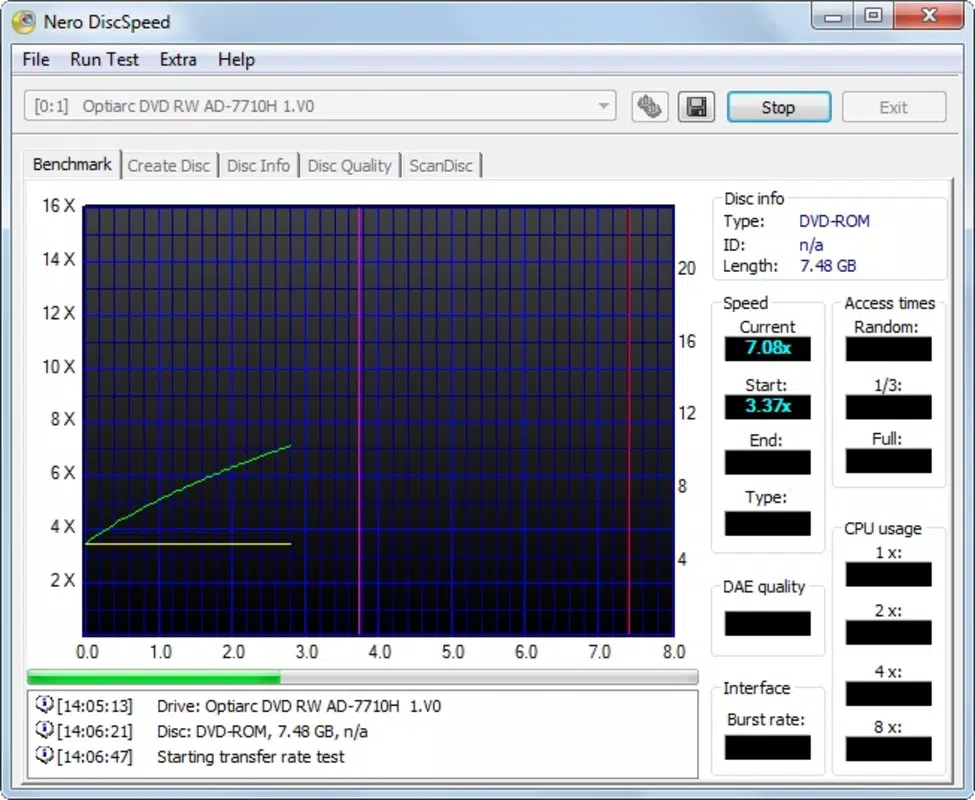
- Quick Performance Analysis: The app performs a rapid scan of inserted discs, delivering performance metrics within seconds. This allows users to assess read speeds, stability, and potential errors without lengthy processing times.
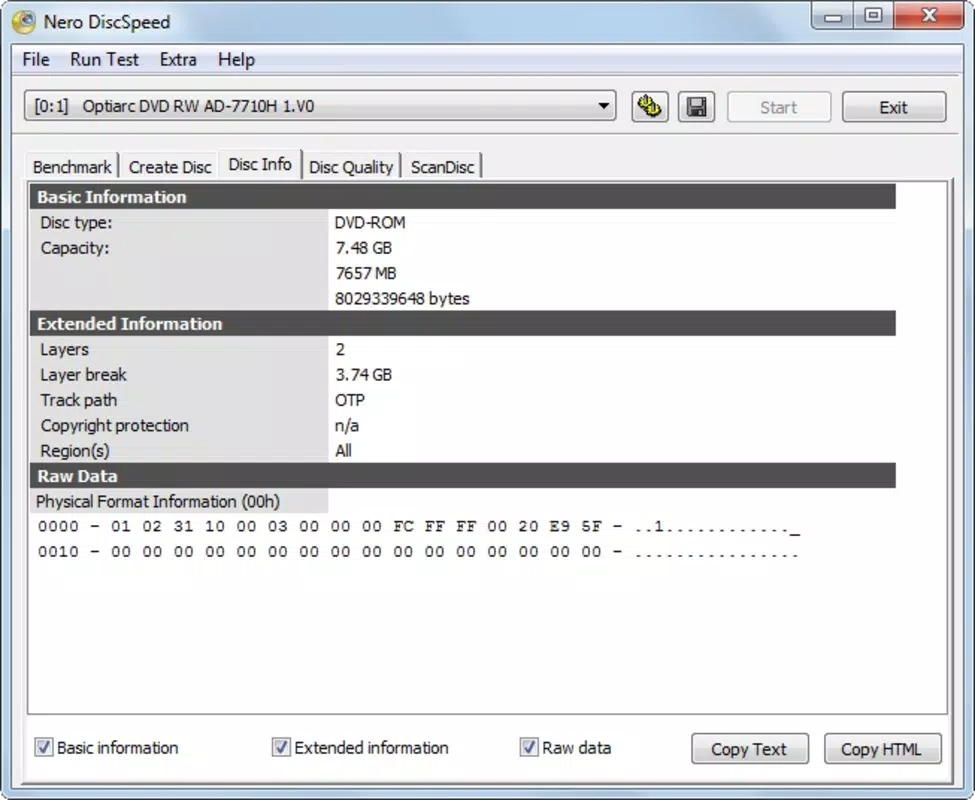
- Detailed Disc Information: Nero DiscSpeed provides specific data such as manufacturer name, disc type, number of layers, disk capacity, and protection types. This information is crucial for verifying disc authenticity and compatibility with specific drives.
- User-Friendly Interface: The application features a clean, intuitive layout with minimal on-screen clutter. Navigation is straightforward, enabling users of all skill levels to interpret results without technical training.
- No Installation Required: As a portable tool, Nero DiscSpeed runs directly from a storage device without requiring setup. This makes it ideal for use across multiple computers without leaving traces or altering system configurations.
- Lightweight Application: With a file size of just 3.1 MB, the program consumes minimal system resources. It operates efficiently even on older or low-spec machines, ensuring consistent performance without slowing down other tasks.
For example, a user preparing to archive important documents can insert a blank disc and use Nero DiscSpeed to confirm its readiness and maximum write speed. Similarly, a media collector can verify the health of vintage DVDs before transferring content to digital formats. The tool’s ability to deliver actionable insights quickly enhances workflow efficiency and reduces the risk of data loss.
Interface, UX & Performance
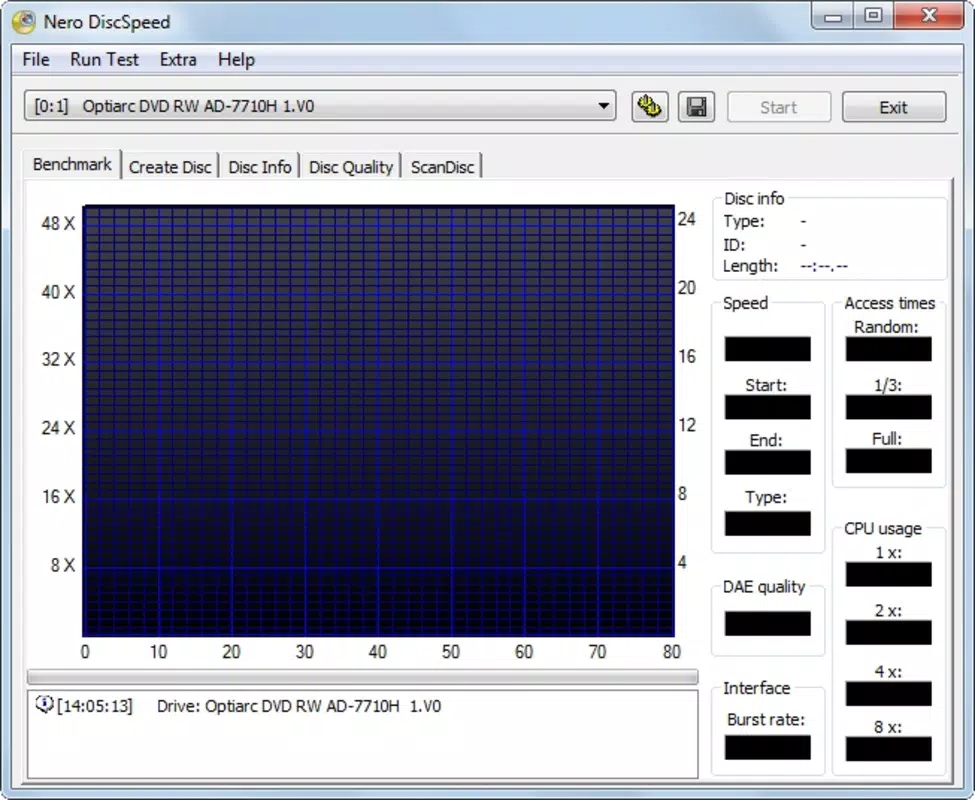
Nero DiscSpeed presents a minimalist interface with clearly labeled sections and real-time data display. The visual design prioritizes functionality over aesthetics, focusing on readability and immediate access to key metrics. Navigation is linear and intuitive—users insert a disc, and the app automatically begins analysis, displaying results in a structured format.
The layout adapts well to standard screen resolutions, ensuring visibility across different monitor sizes. Although the developer did not list formal performance metrics, the application’s lightweight nature suggests stable operation across a range of Windows environments. It does not rely on background processes or internet connectivity, which contributes to its responsiveness and reliability.
The tool maintains consistent performance during repeated use, with no reported crashes or freezes in available documentation. Responsiveness is maintained even on systems with limited RAM or older processors, making it suitable for use in legacy environments. Stability is further enhanced by its portable design, which avoids registry modifications or system-level dependencies.
Overall, the user experience is smooth and focused, aligning with the app’s purpose as a quick diagnostic utility.
Platform Compatibility & Technical Requirements
Nero DiscSpeed is available for the Windows platform, with a software version of 2.0.0.1. The application has a file size of 3.1 MB, indicating a compact and efficient design. It does not require installation, which simplifies deployment across different systems.
The developer did not specify minimum OS requirements or compatibility details beyond the platform, so users should ensure their system supports optical drives and standard disc reading protocols. Compatibility with various disc types—CD, DVD, and Blu-ray—is confirmed through the app’s functionality. However, specific hardware or driver requirements were not listed.
Users should verify that their device has a functioning optical drive and that the drive supports the disc formats being tested. The absence of installation also means the app can be run from external storage, enhancing its flexibility for use on multiple machines.
Pros and Cons
- Lightweight and fast, with minimal impact on system resources
- No installation required—portable and easy to use across devices
- Provides detailed information on disc type, capacity, and manufacturer
- Quick analysis delivers results in seconds
- Simple, intuitive interface suitable for all user levels
- Only available for Windows, limiting cross-platform use
- Developer did not disclose minimum OS or hardware requirements
- Functionality is limited to disc analysis—no data recovery or repair features
- Release date is from 2015, suggesting limited recent updates
- No cloud sync, backup, or export options for results
FAQ
Is Nero DiscSpeed safe to download and use?
Yes, the application is free and does not require installation. It operates as a portable tool, minimizing security risks associated with traditional software installations.
Can I use Nero DiscSpeed on older Windows systems?
The developer did not specify minimum OS requirements. However, its lightweight design suggests compatibility with older Windows versions, provided the system has a functional optical drive.
Does Nero DiscSpeed work with all types of discs?
It supports CD, DVD, and Blu-ray discs. The app analyzes the disc’s performance and metadata, though compatibility may depend on the drive’s capabilities.
Is Nero DiscSpeed updated regularly?
As the latest version was released in 2015, the frequency of updates is unclear. Users should consider this when evaluating long-term reliability.
Can I transfer Nero DiscSpeed to another computer?
Yes, since it does not require installation, the application can be copied to any Windows device and run directly from a USB drive or local folder.
Final Thoughts
Nero DiscSpeed remains a reliable, no-frills solution for users needing to assess the condition and performance of optical media. Its lightweight design, portability, and rapid diagnostics make it an efficient tool for both casual users and professionals managing physical media. While the app lacks modern features like data export or cloud integration, its core functionality is solid and well-executed.
The absence of installation reduces risks and simplifies use across multiple systems. For anyone maintaining a collection of CDs, DVDs, or Blu-ray discs, Nero DiscSpeed offers a straightforward way to verify disc health and ensure data integrity. Its long-standing presence in the utility space speaks to its enduring utility.
Download Nero DiscSpeed now.


